How to Build a Notion Habit Tracker (Without Rebuilding It Every Monday)
Notion habit tracker setup with a fresh weekly page, a gentle rule for missed days, and a small return routine for when your week gets full.
By Her's Notion Planner by Cosmo Suite · Editorial policy
Published · 10 min read
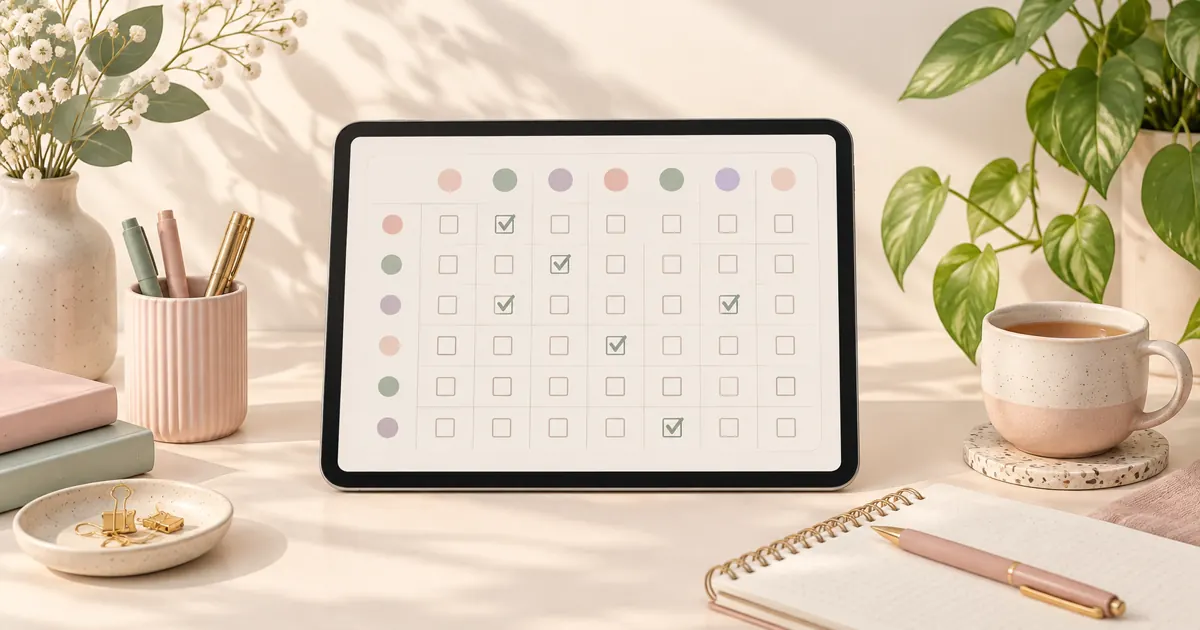
You made a lovely habit page on Monday. By Thursday, one box was blank. The next week got busy, and now the page feels like a tiny report card you would rather avoid. A tracker can make that feeling worse when every new week means clearing old boxes and starting over.
Give each week its own page, decide what a missed day means before it happens, and make the next check-in easy to find. Your old weeks stay in the database, and the new one starts with empty boxes. You can set it up without a complicated formula or a long design session.
A Notion habit tracker is a page or database where you record a planned action and see when you did it. A weekly page is one dated record for a week, so you can begin with empty checkboxes and keep the earlier pages as history.
In a Nutshell:
- Use a repeating weekly page if you want a fresh checklist and a saved record of past weeks.
- Track only the days you plan to do each habit.
- Leave missed check-ins blank, then return at the next planned cue.
- Keep the page short enough to open on your phone.
Choose a Notion Habit Tracker That Fits Your Week
The right Notion habit tracker depends on whether you want a quick checklist, a saved weekly history, or a detailed daily log.
| Setup | How it works | Good fit when | What to watch |
|---|---|---|---|
| One checklist page | Tick habits on one page and clear it each week | You want the fastest possible start | Clearing it removes the old week's record |
| Repeating weekly page | A database template creates a new page on a schedule | You want a fresh checklist and past weeks kept | Set the repeat day and time zone carefully |
| Daily log database | Add a dated entry for each habit check-in | You want to search or compare individual days | More entries mean more upkeep |
For a calm middle ground, make a database of weekly pages and put a small checklist inside its template. A repeating database template is a saved page layout that Notion can create again on a schedule. Notion can repeat it daily, weekly, monthly or at a custom interval. Each new page gives you a blank week while the previous page stays in the database. Notion's guide to repeating database templates explains how to set the schedule (Notion Help Center, 2026).
If you only want to try habit tracking, start with one page and a few checkboxes. If you have already rebuilt a tracker several times, the repeating page gives you a next week without asking you to erase the last one. A pretty Notion template that can hold real entries is worth judging by that same test: does it still feel easy to open once life gets busy?
If you want to compare that with a ready-made layout, see how Her's Notion Planner organizes its five hubs.
A Missed Day Needs a Small Rule
A missed check-in should stay blank. Keep the next planned check-in in place and carry on from there.
If you missed a walk on Tuesday, marking it complete hides what happened. Clearing the whole week turns one miss into a reset. A blank box records the day, then lets you move on.
[Unique insight] Keep the schedule visible beside the checkboxes. A habit planned for three days should be judged against those three chances, while a daily habit has seven. That simple distinction separates a missed plan from a day when you never intended to do it.
In a real-world study, Lally and colleagues found that missing one chance to perform a new behavior did not materially affect habit formation (Lally et al., 2010). That result may not hold for every person or routine. It does support leaving room for an ordinary missed day instead of treating it as a failure. Read the study in the European Journal of Social Psychology.
Write a return rule where you can see it: “If I miss a day, I pick it up at the next planned time.” Use the schedule you meant to follow. A blank Tuesday is not a missed session if you only planned to walk on Monday, Wednesday and Friday. A steady cue can help too: link a walk to finishing lunch or a journal entry to closing your laptop. A 2022 study found that stable contexts predicted more automaticity and stronger habit-repetition goal attainment in both datasets (Stojanovic et al., 2022). The study is available through PubMed Central.
Build a Weekly Habit Page in Notion
You can make a repeating weekly tracker with a small database and a reusable page template. The database holds each week's page; the checklist inside the page holds the daily check-ins.
- Create a database called Weeks. A table is easiest to set up. Use the page title for the week, then add a Date property called “Week of.” A date property can hold a date or date range and can be used to filter and sort database items. Notion's database property guide covers the available property types (Notion Help Center, 2026).
- Make a template called New Habit Week. Open the menu beside New and choose a new template. Name it “New Habit Week,” then give the page a simple title such as “Week of.” Add a heading for each day you plan to check in.
- Add a short checklist under each day. Use a to-do item for each habit you chose. For example, a week might include a 10-minute walk on Monday, Wednesday and Friday, stretching on Tuesday and Thursday, and a short evening journal on three chosen days. This is an example schedule, not a target you need to match.
- Set the template to repeat weekly. Open the template's menu, choose Repeat, then set the weekday and time. A new page will appear on that schedule. Check the date before relying on it for a Monday reset.
- Try one complete week. Tick an item only after you do it. Leave missed days blank. At the end of the week, open the next page and check that it has the same habits with empty checkboxes.
[Unique insight] Count planned chances, not perfect streaks. In the example above, the walk has three planned check-ins, the stretch has two and journaling has three. At week's end, you can see what happened against the plan you chose, without comparing a three-day habit to a seven-day one. This small distinction makes a tracker more useful than a row of identical daily boxes.
Methodology: This is a constructed example, not a product test or a user result. We counted the planned check-ins listed above by hand. You can change the days to match your own routine.
If you want to keep the number of checkboxes low, begin with one or two habits and add more later. Each week stays available as its own page, so you can review a pattern without carrying old checkmarks into a new week.
Make the Tracker Easy to Open on a Busy Day
Put the tracker somewhere you can reach before the day gets away from you. Give it one home, keep the first screen short and make a check-in take a few taps.
Start with three habits or fewer if you are unsure. That is a practical starting point, not a rule from a study. Pick actions you already want to notice, such as taking a walk after lunch or writing a line before bed. Add a cue beside each one, like “after I close my laptop,” so you know when it belongs in your day.
Keep long notes out of the daily checkboxes. If a habit needs reflection, add one optional line at the bottom of the page. You can use it on a day when you have something to record and skip it when you do not.
Check the page on a phone before you settle on the layout. Notion database views can display the same entries in different ways, and its properties can be hidden from a view when they are not useful there. Keep the habit list visible and move setup details out of the way. If a weekly page feels cramped, use day headings and short checklists instead of a wide grid. This matters most when your tracker has several habits or longer notes, because a wide table can require side-to-side scrolling on a small screen.
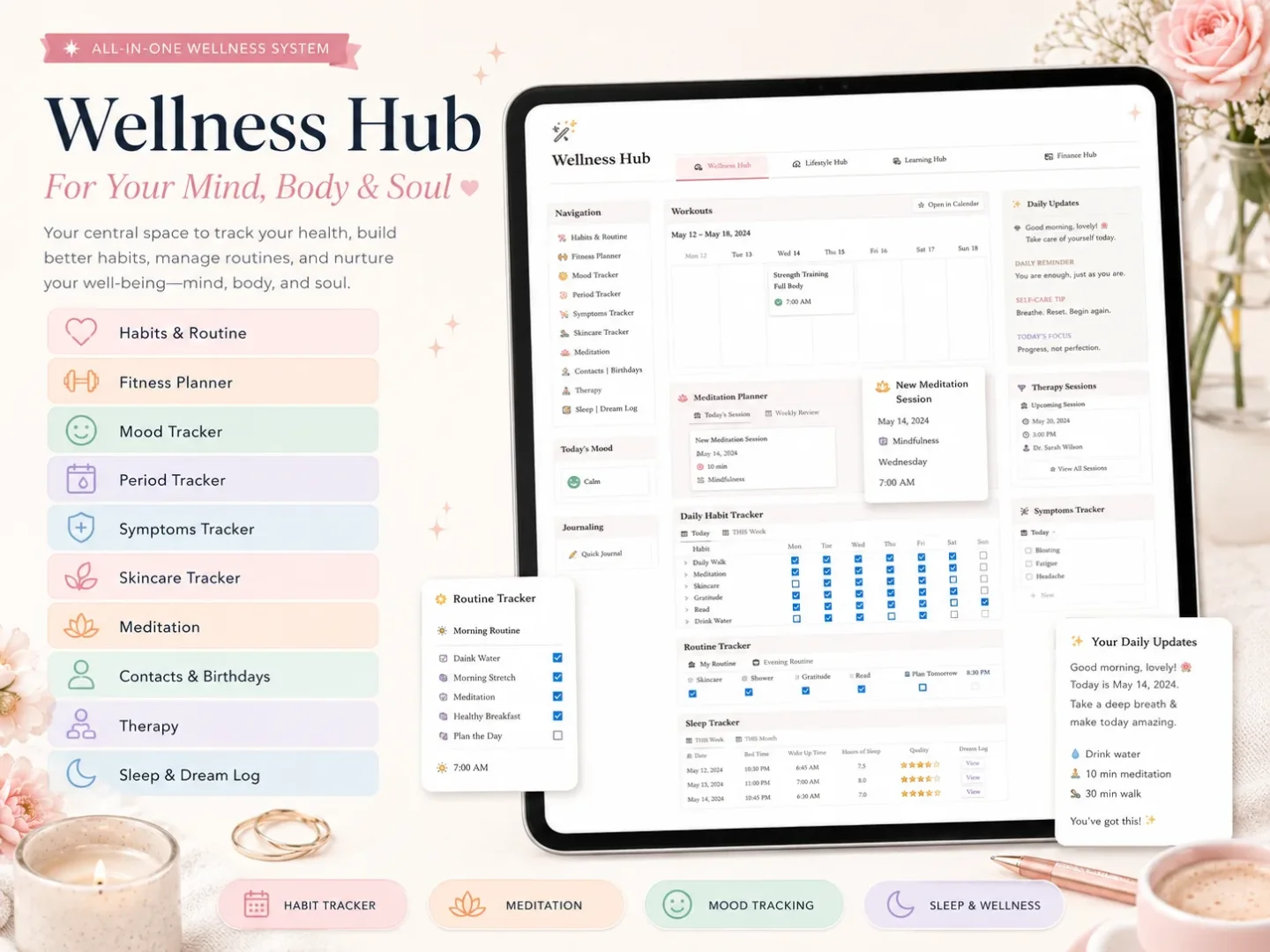
Her's Notion Planner is one example of a finished wellness page in a larger life-planning space. Its five hubs include Wellness, and its dashboards are designed for desktop, tablet and phone. If you want a connected planner page with a calm visual style, compare how its sections appear on the screen you use most.
Use a Sunday Reset to Start the Next Week
A short weekly reset helps you choose the next page and remove decisions from Monday morning.
- Open the current week's page and leave all check-ins as they are.
- Notice which habits felt easy to reach and which ones were hard to fit.
- Keep, change or pause a habit for next week. A smaller plan is allowed.
- Check the next repeating page has appeared, or create one from the template.
- Put the first check-in beside a cue you already expect to happen.
You do not need to complete this on Sunday. Pick a day that usually has a little breathing room. The reset can take a few minutes; it is there to help the tracker feel current, not to grade your week. For example, if your mornings are already full, choose an evening check-in after dinner instead of adding another early alarm to your schedule.
If you return after a week away, leave the old boxes as they are. Open the current week and choose one habit to resume. You can archive or rename the old page later if the database feels cluttered. One small check-in is enough to get the page moving again.
Where Her's Notion Planner Fits
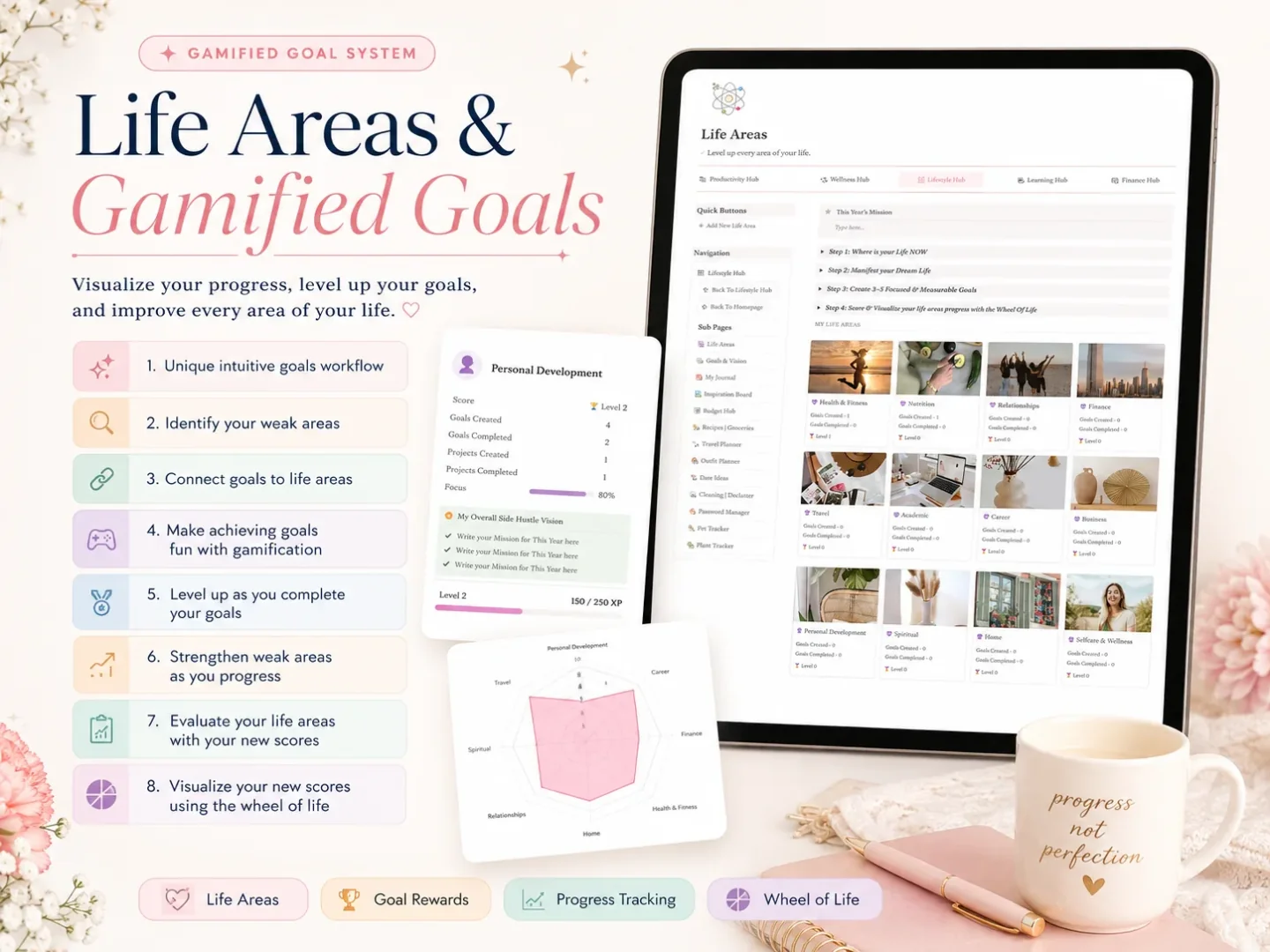
Her's Notion Planner may suit you if you want your wellness page to sit beside other parts of your life. It is a $9 one-time Notion template with five hubs: Productivity, Wellness, Lifestyle, Learning and Finance. The included feature list also names Life Areas, Goals with real-time progress, Life Planners with built-in automation, a setup guide, a step-by-step tutorial, and dashboards for desktop, tablet and phone.
Use a free single-purpose tracker if you only need a checklist or enjoy building your own Notion pages. If you would rather open a finished space and adapt it as you go, see whether Her's Notion Planner fits the way you plan. Its Wellness hub is the relevant area to inspect; the product page does not list a dedicated habit tracker as a separate feature.
Look at the screenshots before you decide how much to connect. A standalone tracker keeps one job simple. A connected planner gives habits a place beside goals and other life areas, with one larger layout to learn. Choose the space you will keep opening.
Why Trust This Article
Cosmo Suite wrote this guide and makes Her's Notion Planner; the product section describes our template. Notion's help pages support the setup steps. The habit research comes from Lally and colleagues' peer-reviewed study, and the claim stays narrow. Read about the company, see our editorial policy, or use the contact page to report a correction. Notion is a trademark of Notion Labs, Inc. Her's Notion Planner is not affiliated with or endorsed by Notion.
Frequently Asked Questions
How do I make a habit tracker in Notion?
Create a database for weekly pages, add one template with a short checklist, and set it to repeat weekly. Keep only habits you want to notice, then use each new page as a fresh week.
Can a Notion habit tracker start a new week automatically?
Yes. Notion database templates can repeat on a schedule. Set a template to repeat weekly, then check the database's time zone and start date so the new page appears when you expect.
What should I do when I miss a habit?
Leave that check-in blank and continue at your next planned cue. A missed opportunity is not proof that you failed or need to restart the tracker.
How many habits should I track at once?
Start with the few habits you can name without scrolling. Three is a useful example for a small page, not a research-backed limit. Add another only when the tracker still feels quick to open.
Should I track habits every day?
Track the days you intend to do the habit. If you plan a walk three times a week, a daily blank can make the week look like a string of misses. Give each habit its own realistic schedule.
Can I use a free Notion template for habit tracking?
Yes. A free single-purpose template can be a good fit if you want one tracker and enjoy setting it up. Choose a paid planner only if its finished layout and connected pages save work you would otherwise do yourself.
Frequently asked questions
How do I make a habit tracker in Notion?
Start with a database of weekly pages. Add a template with a short checklist and set it to repeat weekly. Keep the list small, then treat each new page as a clean start.
Can a Notion habit tracker start a new week automatically?
Yes. A Notion database template can repeat on a schedule. Choose weekly, then check its start date and time zone so the next page appears when you expect.
What should I do when I miss a habit?
Leave the box empty and pick up at your next planned cue. One missed check-in does not mean the habit is over or the tracker needs a reset.
How many habits should I track at once?
Choose a few you can name without scrolling. Three is just an example of a small page, not a research-backed limit. Add another when the tracker still feels easy to open.
Should I track habits every day?
Mark the days you intend to do the habit. If you plan a walk three times a week, blank days can look like failure unless your schedule is clear. Let each habit have its own rhythm.
Can I use a free Notion template for habit tracking?
Yes. A free single-purpose page works well if you want one tracker and enjoy setting it up. A paid planner may save setup work when you want finished, connected pages.