9 Best Notion Templates for Planning Your Personal Life in 2026
Compare nine Notion templates for personal planning by use case, setup details, connected pages, automation, price, and theme support.
By Her's Notion Planner by Cosmo Suite · Editorial policy
Published · 8 min read
A planner can look lovely in a gallery and still become one more page you stop opening. The useful question is smaller: will this template make your next week easier to plan, and will it still feel manageable when life gets busy?
This guide compares nine Notion templates for personal planning by their intended use and the practical details their public listings disclose. The listings change, so check the current contents and price before you add or buy one. If you want a connected planner with multiple life areas, see the five hubs in Her's Notion Planner. We include our own product below and use the same comparison rules for it.
The best Notion templates at a glance
The score counts six details: phone layout, setup instructions, connected hubs, automation, visible price, and light/dark support. A point means the listing or product contents explicitly states that detail. A missing point means it was not stated in the material checked, not that the template cannot do it. A listing-transparency score is a count of those disclosed details, not a quality rating or hands-on test.
| Template | Best fit | Listing details disclosed | Score |
|---|---|---|---|
| My Simple Life Planner | One page for goals and weekly tasks | Listing describes goals, tasks, habits, finance, learning, and reflection | 0/6* |
| 2026 Design Your Life Planner | Guided, structured planning | $25, setup instructions, automated sorting | 3/6 |
| Cozy Life Planner Dashboard | Several lifestyle categories | $19.98 | 1/6 |
| [Life Planning | Organizer](https://www.notion.com/templates/planner-organizer) | Habits, goals, and wellbeing together | $5, connected areas |
| Life Planner & Habit Tracker | Daily habits with longer goals | Daily check-ins and weekly, monthly, yearly goals | 0/6* |
| Life Planner 2025 | A free, dated planning layout | Free listing | 1/6 |
| Weekly Planner | A lightweight weekly page | Free listing; to-dos, intentions, habit tracker | 1/6 |
| The Weekly Plan | Priorities on one weekly page | $2 | 1/6 |
| Her's Notion Planner | Connected life areas in one space | $9, setup guide, five hubs, automation, phone dashboards, light/dark themes | 6/6 |
*The public listing details checked for these two entries did not state any of the six scoring items. Their descriptions still help you judge the planning structure. Prices and listing labels were checked on October 19, 2026 and may change.
Six details to check before choosing
First, look for a phone layout if you plan to check tasks away from a desk. A template can open on mobile without its databases being comfortable to use there. The 2026 Design Your Life Planner listing, for example, says it is optimized for desktop and may display differently on smaller screens.
Next, check whether setup instructions explain the first steps. A template with many pages can take longer to personalize than a weekly list. Connected hubs are useful when they reduce repeated entry across areas; they add clutter when you only need one view. Automation can save repetitive work, but check what it does and whether you can still edit the underlying pages.
Finally, confirm the current price and theme options on the listing itself. Notion explains that a free template can be added and a paid one bought through its template flow. You can also review how duplicating a public page works before making a copy. Do not assume that “works on mobile” means the creator designed the views for a small screen.
Templates for a simple start
1. My Simple Life Planner by Martin.S
Choose this one if you want a broad page that keeps several personal routines visible. Its listing describes goals, daily and weekly tasks, five habits, a finance snapshot, learning notes, and reflection. That makes it a useful candidate when you like the idea of a single planning home but do not need a specialized dashboard for every area.
The listing detail checked here did not make the price, setup instructions, phone layout, automation, connected hubs, or theme support clear enough to score. Confirm the current price and preview the working views before adding it. Its broad collection of sections may also ask more upkeep than a simple weekly page.
2. Weekly Planner by Notion Bytes
This is the smallest-scope pick in the group. The listing describes a navigation bar, daily to-dos, intentions, and a habit tracker. Its marketplace entry showed a free add flow when checked, but verify that label on the live listing before you choose it.
It suits someone who wants to see the week and a few routines in one place. The listing does not establish that it has a full life-planning system, so avoid adding extra pages unless you know what you need them for. A simple planner often works best when the next action is visible without a long setup.
3. The Weekly Plan by DesignStudioTeti
For a compact review, this $2 template puts a weekly summary, priorities, habits, and notes on one page. It may suit you if a short planning ritual matters more than tracking every task in a database.
The listing detail available for this comparison does not disclose phone layout, setup instructions, automation, or theme options. Look for a preview before paying, and decide whether its one-page structure fits your own week.
Templates for a more guided or connected setup
4. 2026 Design Your Life Planner by Type A Planners
The listing combines a $25 price, setup instructions, and automated sorting, which makes it the clearest guided paid option in this set. It is worth considering if you want a defined setup process and automation rather than a blank canvas.
There is a specific device caveat: its listing says the layout is optimized for desktop and may display differently on smaller screens. If you plan from your phone, inspect the actual views first. A high-transparency listing can still describe a template that does not fit your preferred device.
5. Cozy Life Planner Dashboard by FreshlyBrewedContent
At $19.98, this dashboard brings planning, budget, self-care, travel, and home pages together. Its wide category range may appeal if you want several parts of life represented in one purchase.
The visible detail in the listing is the price and the category set. Check whether the actual pages and navigation feel clear before buying; the listing evidence used here does not confirm phone-specific layouts, setup steps, automation, or theme choices. If you only need one weekly list, this may be more space than you want to maintain.
6. Life Planning | Organizer by Z-Templates
This $5 option is a smaller connected-dashboard choice. The listing describes habits, goals, and well-being together, so it may suit someone who wants those areas visible in one organizer without starting with a broader multi-hub product.
The listing does not state the remaining checks in our rubric. Preview the working pages and confirm how to personalize them. “Connected” can mean useful navigation, but it does not by itself tell you whether entries sync between databases or update automatically.
7. Life Planner & Habit Tracker by mack
Consider this template if routines are the anchor of your planning. Its listing describes daily habits and check-ins alongside weekly, monthly, and yearly goals. That span may help you connect a small repeated action with a longer goal without needing a separate habit-only page.
The listing evidence checked did not clearly state the six rubric details, including current price. Check the live listing before adding it, then decide whether the daily check-in feels easy enough to repeat. For a closer look at a single routine, see our guide to choosing a Notion habit tracker.
8. Life Planner 2025 by Wethenotion
This entry is listed as free and includes goals, tasks, habits, and monthly/yearly planning. It could be a low-cost way to inspect a broader layout before you commit to a paid planner.
Its title is dated 2025, so check whether its examples, dates, and structure still suit your plans in 2026. Free does not mean current or maintenance-free. If a dated dashboard would make you spend time replacing old labels, a newer weekly template may be easier to use.
9. Her's Notion Planner: five linked hubs for life planning
Her's Notion Planner is our product. The current product page lists a $9 one-time price. Its contents include five hubs for Productivity, Wellness, Lifestyle, Finance, and Learning. They also include a Second Brain 2.0 using PARA, Life Areas, and gamified Goals with progress. The package has Life Planners with automation, device dashboards, a setup guide, light and dark themes, and a Simple Weekly Planner bonus.
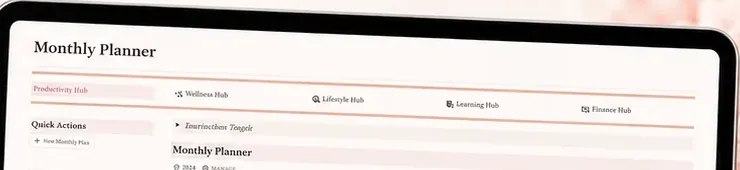
Those details make it the broadest option here for someone who wants connected areas and is willing to maintain a larger Notion space. The score reflects what the product contents explicitly state, not an independent quality assessment. Compare those contents with your own routine. If you mainly want to coordinate spending, our Notion budget template guide shows a narrower planning use case.
How to pick the one you will keep using
Choose the smallest template that answers the question you ask most often. If you only need to see the next seven days, start with a weekly page. If you want one routine to stick, try a habit tracker. If you already plan across several life areas and want them connected, compare a broader dashboard with your real setup needs.
Before you commit, open the template on the device you will use and find the working view, not just the cover. Check the setup steps, what is included, current price, and any automation claims. Try a free template first if you are unsure how much structure you need. Then add pages only when you notice a repeated gap.
A quick check before you choose:
- Can you reach the next task from the first view?
- Does the setup guide show what to personalize?
- Are the price and device limits clear?
There is also a visual test: after the first week, can you find the next action quickly? A pretty cover helps you enjoy opening a page, but a clear working view helps you return. Our guide to an aesthetic Notion template that can last past week two covers that balance in more detail.
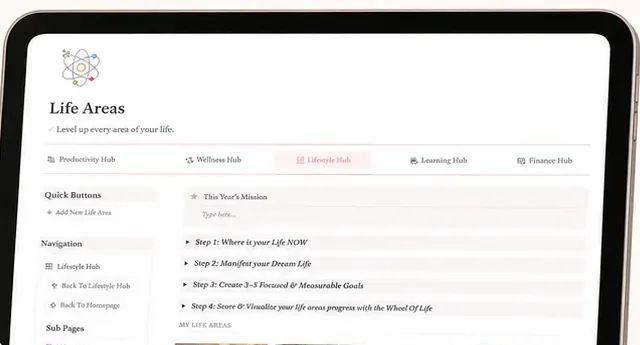
If you want a connected planner with a setup guide and multiple themes, review Her's Notion Planner and check the current contents. If you want the simplest start, compare the weekly options. The right choice is the one whose routine feels light enough to repeat.
Why trust this comparison
Our methodology was to review the public Notion Marketplace listings, Notion Help Center guidance, and Her's Notion Planner product contents on October 19, 2026, then count only the six details each source stated. The comparison is not a hands-on test, ranking of quality, or review score. Her's Notion Planner is our product, and we applied the same stated rubric to it. Prices and listings can change, so confirm them before you add or buy a template.
For more about the company, read about us; the editorial policy explains our content standards. Use the contact page to report an error or request a correction.
Frequently asked questions
Are there free Notion templates for personal planning?
Yes. Notion Marketplace has free templates as well as paid ones. Check the current listing button and included pages before choosing. A free template can be enough if its layout fits your routine and you are comfortable changing it.
How do I choose a Notion life planner template?
Start with the page you will open most often, such as a weekly plan or habit tracker. Then check the actual views, setup instructions, phone layout, price, and whether linked pages or automation solve a real need for you.
Can I use a Notion planner template on my phone?
Notion works on mobile, but a particular template may be designed mainly for desktop. Check the listing for phone guidance and preview its working views on your own device before you build your routine around it.
What should I check before duplicating a Notion template?
Review the included pages, permissions, current price, and setup steps. Notion's help pages explain how to add Marketplace templates and duplicate public pages. Remove or adjust sections that do not fit your needs.
Is a full life planner worth paying for?
It can be useful when you want several connected areas and the included setup matches how you plan. If you only need a weekly list, a small free template may be easier to maintain. Compare the actual contents and current price before buying.
Sources
- Notion Marketplace, My Simple Life Planner
- Notion Marketplace, 2026 Design Your Life Planner
- Notion Marketplace, Cozy Life Planner Dashboard
- Notion Marketplace, Life Planning | Organizer
- Notion Marketplace, Life Planner & Habit Tracker
- Notion Marketplace, Life Planner 2025
- Notion Marketplace, Weekly Planner
- Notion Marketplace, The Weekly Plan
- Notion Help Center, Start with a template
- Notion Help Center, Duplicate public pages
- Her's Notion Planner
