5 Notion Journal Template Layouts Worth Trying
Notion journal template ideas compared by writing effort and what you may notice after a month. Includes simple formats and ways to restart after a pause.
By Her's Notion Planner by Cosmo Suite · Editorial policy
Published · 8 min read

You save a pretty journal template, open it once, and then the prompts start to feel like one more task. Maybe you wanted a place for small daily notes, not a second job called “keeping up with your journal.”
A useful Notion journal template gives you a shape you can return to. It can be one line, a few prompts, or a short weekly recap. You do not need to fill every field, and a blank day does not need a makeup entry.
Below are five layouts with rough time estimates for a short entry. The times are planning estimates, not measured results. The month-long example is fictional. Remove anything that makes writing feel heavier.
In a Nutshell
- Start with one format and one prompt.
- Keep missed days blank unless you want to add context.
- Choose a Notion page for a running note or a database when you want separate, sortable entries.
What makes a journal easy to return to?
Your journal does not need to explain your whole life. It only needs to hold the note you want to make today and give you a way to find it later. A Notion journal template is a saved page or database layout that gives a new note a starting shape. Notion's database template guide explains how to save reusable page content and properties.
That is why a small page often feels easier than a dashboard filled with prompts. If you open the journal after a busy week, you should be able to add a new note without first catching up. The aesthetic Notion template guide has more ideas for choosing a page you will still like once it has real notes in it.
Choose a prompt when it helps you begin. Skip the question when it does not fit the day. Some days, you may have nothing to add.
Which Notion journal layout should you pick?
These formats trade detail for speed in different ways. The time estimates assume a brief entry, not a long writing session.
Compare a layout by how easily you can return to it, not by how many prompts it includes.
| Layout | Rough time per entry | Useful for | What a month may help you revisit |
|---|---|---|---|
| One-line daily log | 1–2 minutes | A low-effort record | Small moments you might otherwise forget |
| Gratitude note | 2–4 minutes | Saving one good detail | Which ordinary moments felt worth keeping |
| Prompt-led reflection | 3–6 minutes | Getting unstuck | A few repeated questions or choices |
| Weekly recap | 5–10 minutes once a week | Looking back without writing daily | What took time and what you want to carry forward |
| Theme journal | 2–5 minutes | Keeping notes on one area | Questions or ideas that return around a topic |
The times are only a way to compare the shapes. They are not a promise about how long you will write. A single sentence can be enough for any of them.
A one-line daily log keeps the bar low
Add the date and one sentence about the day. You might write, “Took the longer route home and felt glad I did.” It can be a small observation or a line you want to remember. You can also note what you need tomorrow.
This layout is useful when a blank page makes you hesitate. It also gives you a clean way to restart: add today's line and leave the days you missed alone. You can use one running page or make a dated page for each entry. If you want a simple weekly rhythm around habits, see the Notion habit tracker guide.
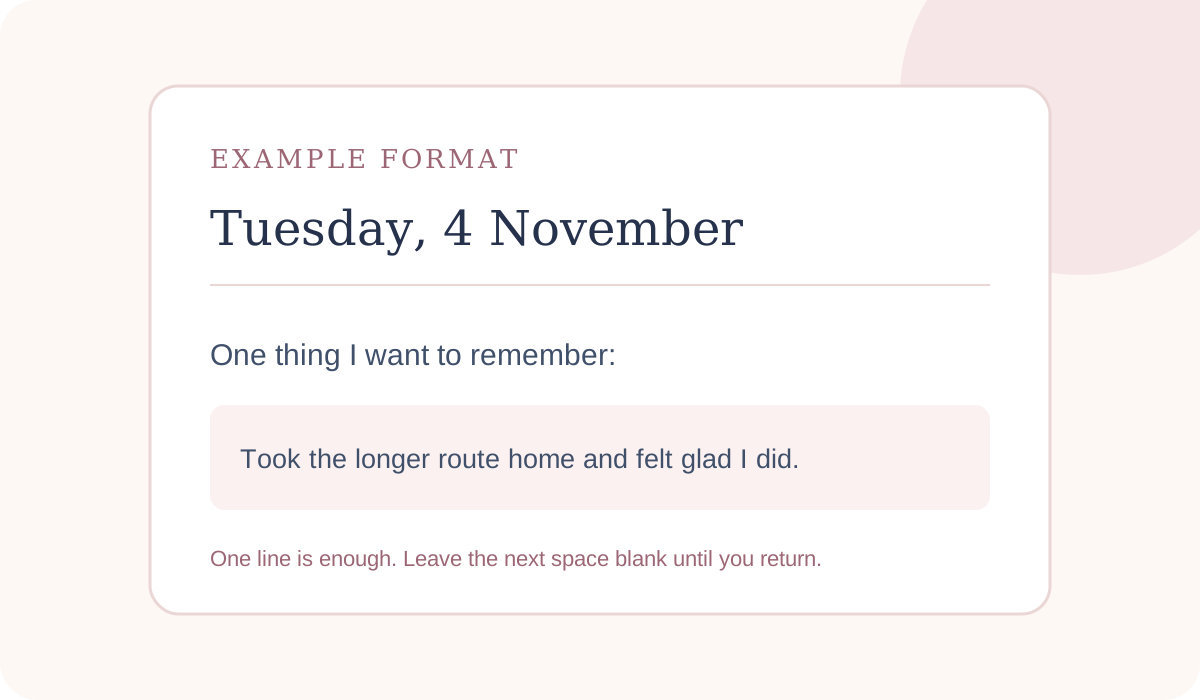
After a month, you might find a few moments that would have slipped past you. The log will not explain why a week felt easier or harder. It gives you short notes to look back at when you want them.
A gratitude note records small details
A gratitude layout keeps one specific thing you appreciated. Add a sentence about what happened and, if useful, why it stayed with you. “The train was quiet” is a start. “I had enough room to read for ten minutes” gives the memory a little more shape.
You do not have to call every day good. On a difficult day, you can skip this format or write about something neutral that helped. It might be a warm meal or a message from a friend. A journal is personal; there is no prompt you must answer.
Keep the entry short enough that it does not become a list you feel obliged to complete. One detail gives you something concrete to revisit. Three generic answers may be less useful than one that sounds like you.
A prompt-led entry gives reflection a starting point
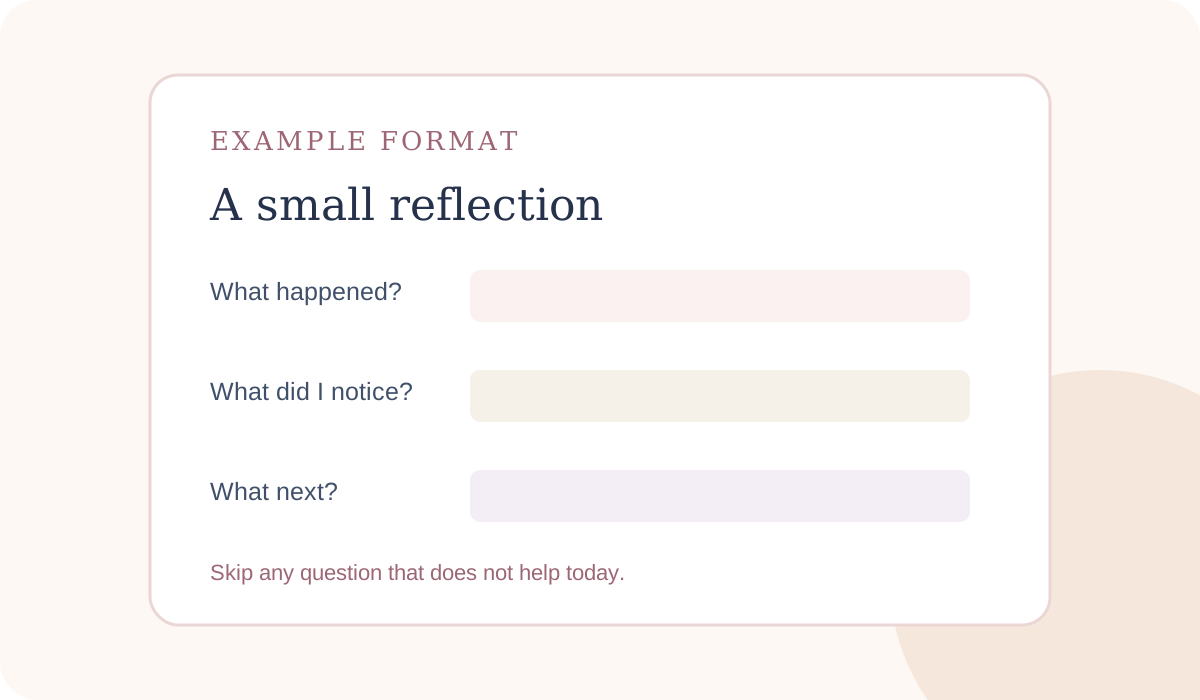
Use one question when you want to write a little more but do not know where to begin. A three-part entry can be: “What happened?”, “What did I notice?”, and “What would I like to do next?” Leave any part blank. You do not need to fill every prompt.
For example, after a packed afternoon, a fictional entry might note that two plans moved, that the change felt frustrating, and that tomorrow needs a quieter first hour. Use the entry to describe your experience. A journal cannot diagnose or replace professional advice, as Arizona State University explains.
Choose a prompt that fits the kind of note you want to keep. You might write about a decision, a moment you enjoyed, or something you want to remember. If a question makes you feel pressured, replace it with a simpler one.
A weekly recap makes patterns easier to revisit
If daily writing feels like too much, write once at the end of the week. Try three headings: “What took space?”, “What helped?”, and “What do I want to carry forward?” A few lines under each can be enough.
This format leaves room for an uneven week. You can note a plan that changed, a task that kept returning, or an ordinary moment you want to remember. For a gentler check-in, see our wellness goals examples.
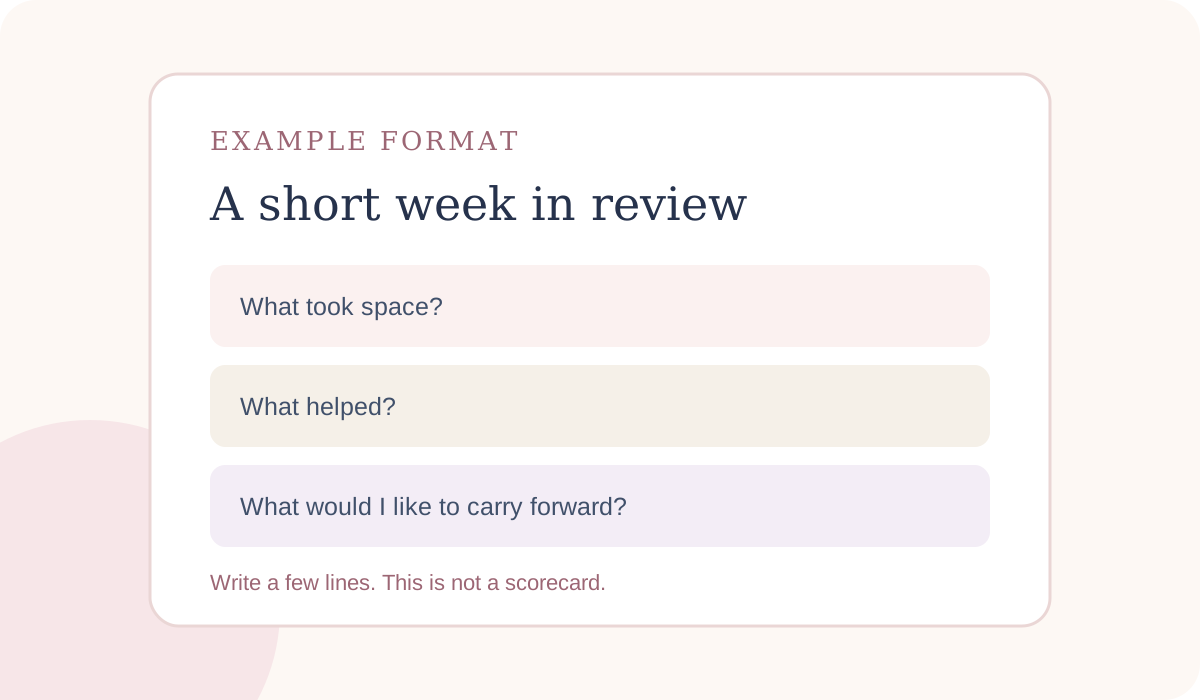
Use the recap to collect a few notes. Rate the week or plan ahead only if those steps help you. Keep what you would like to see again.
A theme journal keeps one topic together
Choose one topic you want to revisit, such as a creative project or a new routine. A decision you are considering can also work. Give each note a date and short title. Add a tag only if you expect to filter entries later.
This can work as a section on a regular page or as a database with one entry per page. A page is simpler when you want a single stream of notes. A database can help when you want to sort entries by date or topic. Notion's guide to database templates explains how to save a reusable starting layout for new database pages.
Try the topic for a few entries before adding more categories. If you use several tags, choose names you will remember. You can always add structure later, once you know which notes you want to find.
A fictional month shows what each format keeps
Imagine someone wants to remember how short walks fit into a busy week. This is a made-up example to show the difference between layouts, not a user result.
- One-line log: “Walked after lunch.” A month of notes may make it easy to spot the days she recorded a walk.
- Gratitude note: “The park was quiet, and I had time to finish my coffee.” It keeps the detail she liked.
- Prompt-led reflection: “What helped me go out today?” The answer might name a clear calendar or a friend’s invitation.
- Weekly recap: “I went out twice; a short route felt easiest.” It puts a few notes together without a daily entry.
- Theme journal: a dated entry under “walks.” It keeps this topic apart from notes about work or home.
A month of notes cannot show that walking caused a change in mood or health. It can preserve what you chose to write down. Pick the format that makes the detail you care about easy to record and revisit.
How do you set up a journal in Notion?
Start with the place you already open. A plain Notion page can hold a running journal. If you want each entry on its own page, create a database and give each entry a date or title. Notion's database guide explains that each database item is its own page. Its template instructions cover starting from an existing page design, and the Daily Journal Marketplace listing is one example to inspect before choosing a template.
What to leave out of your first version
- Extra tags you do not plan to search.
- Prompts you feel obliged to answer every day.
- Views that do not help you find an entry.
- A catch-up rule for days you missed.
Keep the first version small:
- Choose one of the five layouts above.
- Add one prompt or heading that helps you begin.
- Put the journal somewhere easy to open, such as a favorite or pinned page.
- Try a few entries before adding tags, views, or extra prompts.
- If you pause, enter the next note and leave the gap blank.
For a database, a reusable template can save headings for new entries. Notion lets you change a page made from a template. Keep repeating templates off unless you want pages created on a schedule.
If you want a printed journal or prefer handwriting, use paper. If you already keep notes in Notion and like being able to search them, try a simple page first. Our paper-versus-Notion self-care planner comparison can help you think through the format.
Where Her's Notion Planner fits
Her's Notion Planner is a Notion template with five hubs, including Wellness, and dashboards for desktop, tablet, and phone. Its listed contents do not name a dedicated journal template or journal database. Check the product page if you want to see whether the full planner fits how you organize your notes.
If you already have a journal format you like, you can keep using it alongside another planner. If you are choosing a new space, start with a page that feels clear and easy to return to. The best fit is the one that supports your own way of writing.
Why Trust This Article
Her's Notion Planner is published by Cosmo Suite. Methodology: we compare each layout by writing effort, ease of returning, and what a month of notes might preserve. Entry times are rough editorial estimates, not results from a timed study. We checked Notion's official database and template guidance on 31 October 2026. The sample month is fictional. Product statements follow the listed contents, not unrelated sample pages in promotional composites.
Our about page identifies the publisher, and our editorial policy explains how we check posts.
Frequently asked questions
What should a Notion journal template include?
Start with a date, one prompt, and enough room to write. Add tags or views only when you know what you want to find later. A useful Notion journal template should make a new entry easy to open and easy to leave unfinished.
Can I make a daily journal in Notion?
Yes. You can write on a plain page or create a database where each entry is its own page. Notion's database-template guide explains how to reuse a starting layout. Choose the simplest option that fits how you want to revisit your notes.
Is a Notion journal better as a page or a database?
A page is a good start if you want a running note with no sorting. A database can help if you want separate entries with dates or a view for a topic. The extra structure is useful only if you plan to use it.
What do I write when I miss a day?
Write the next entry with today's date and leave the gap blank. You can add a short note if you want to remember why you paused, but there is no need to recreate every missed day.
How much time does a journal entry take?
It depends on the format and how much you choose to write. The time ranges in this guide are rough planning estimates for a short entry, not measured results. You can stop after one sentence and return later.
Does Her's Notion Planner include a journal template?
Its listed contents include five hubs, including Wellness, plus life planners and dashboards for desktop, tablet, and phone. The contents list does not name a dedicated journal template or journal database, so check the product page before buying if that is essential.
Sources
Keep reading
Wellness and Self-Care
How to Build a Notion Habit Tracker (Without Rebuilding It Every Monday)
Notion habit tracker setup with a fresh weekly page, a gentle rule for missed days, and a small return routine for when your week gets full.
· 10 min read
Wellness and Self-Care
Self Care Planner: Paper vs Notion, Which One Will You Keep Using?
self care planner: compare paper and Notion by cost, reminders, offline use, and daily fit. Use a one-week test to choose a format you will keep.
· 8 min read
Wellness and Self-Care
Wellness Goals: A Weekly Check-In You Can Keep
Wellness goals can fit a full week when each begins with one small action. Plan a time to try it, then use a gentle check-in to keep or adjust the goal.
· 7 min read
